Keyboards for programming
Updated
Programming is mostly typing symbols, holding modifiers and moving the cursor, for hours at a time. No keyboard makes you write better code, but a few features make those hours more comfortable: keys you can move, layers you can build, and a shape that suits your hands and your desk.
This guide explains those features and points at boards in our catalogue that do them well, with the details we found in November 2026. Prices are list prices, not live offers.
What matters when you write code
Remapping is the big one. On a board running QMK or VIA you can put any key anywhere, and build layers: hold one key and the right-hand letters become arrows, Home and End, or the brackets you reach for all day. Once you've set it up, it works on any computer you plug into without installing anything, because the layout lives on the keyboard. Many people start by turning Caps Lock into Control or Escape.
Next is comfort. You'll hold modifiers far more than most typists, so a board that lets you move them under your thumbs, or a split board that lets your shoulders open, can make a real difference over a long day. A low typing angle and a wrist rest help too.
Then noise, if you share a room or spend a lot of time on calls. Linear or silent switches and a dampened case keep it down; our quiet keyboards guide covers that in detail. Switch feel beyond that is personal; see our switch types guide.
Remappable all-rounders
The Keychron V1 Max is the sensible starting point: a 75% with QMK and VIA, hot-swap sockets, a knob and wireless, at £109.99 in UK ISO[1]. You can remap and layer everything in VIA's web app, and the 75% layout keeps arrows and the function row, which you'll want for debugger shortcuts. The Keychron Q1 Max is the aluminium version at £219.99[2] if you want something heavier that stays put.
If your work involves a numpad, Keychron's V Max range comes in tenkeyless, 96% and full-size versions with the same firmware; our Keychron keyboards page lists them all.
We earn a commission if you buy through these links. It doesn't change the price you pay.
ADList price £109.99
List price £219.99


As an Amazon Associate I earn from qualifying purchases.
A compact classic
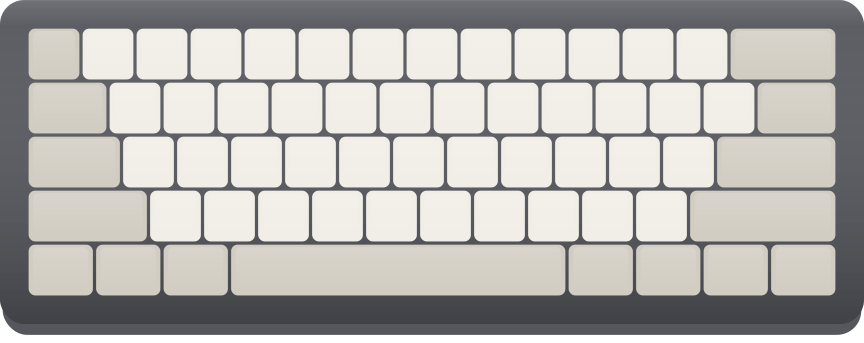
The HHKB (PFU) HHKB Professional HYBRID Type-S has been a programmer's favourite for decades in one form or another. It's a 60-key board with its own layout that moves several keys from where a standard board puts them, and Topre electro-capacitive switches, silenced in the Type-S version, that are smooth and quietly tactile. It connects by Bluetooth or USB-C. The US list price is $385[3], it comes in US and Japanese layouts only, and its switches can't be swapped, so it's a board to try before you buy if you can.
We earn a commission if you buy through these links. It doesn't change the price you pay.
ADHHKB (PFU) HHKB Professional HYBRID Type-S
List price ≈ £289, converted
As an Amazon Associate I earn from qualifying purchases.
Split boards
A split board puts each hand on its own half, so your wrists stay straight and your shoulders open. Both below cost around $365 for the base model and are priced in dollars, so allow for import VAT.
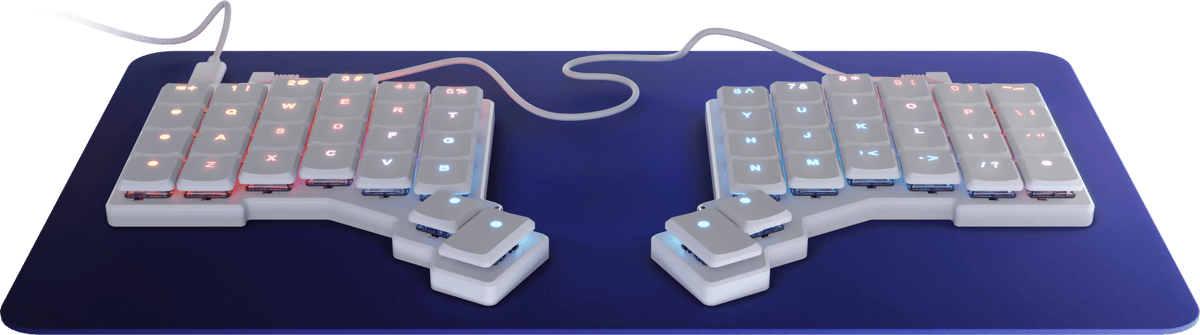
The ZSA Voyager is small and flat: 52 keys in straight columns, low-profile Kailh Choc switches in hot-swap sockets and magnetic tenting legs[4]. With so few keys, layers do a lot of the work, and ZSA's Oryx configurator on QMK makes them easy to set up. The column layout takes time to learn.
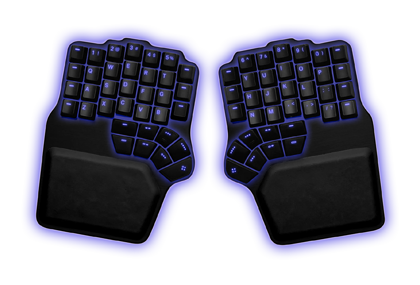
The Dygma Defy is bigger: 70 keys, full-height MX hot-swap sockets for the main keys, and a sculpted thumb cluster that puts modifiers and Space under your thumbs[5]. It comes in ANSI and ISO, wireless and tenting are paid extras, and Dygma's Bazecor app handles remapping. Our Defy against Voyager comparison covers which suits whom.
We earn a commission if you buy through these links. It doesn't change the price you pay.
ADList price ≈ £274, converted
List price ≈ £277, converted
As an Amazon Associate I earn from qualifying purchases.
For several computers
If you switch between a work laptop and your own machine, Bluetooth pairing with several devices is worth more than any switch. The Logitech MX Mechanical is built for that: a slim full-size board with low-profile switches, Bluetooth or Logitech's Bolt receiver, and a backlight that comes on as your hands approach, for £149.99 in a UK layout[6]. It doesn't run QMK, so remapping is limited to Logitech's software.
The Keychron K3 Max is the open-firmware alternative: a very thin 75% weighing 525 g, with QMK and VIA, hot-swap sockets for low-profile switches, and three ways to connect, for £109.99 in UK ISO[7]. Because the remapping lives on the board, it behaves the same on every computer, including locked-down work laptops where you can't install software.
We earn a commission if you buy through these links. It doesn't change the price you pay.
ADList price £149.99
List price £109.99

As an Amazon Associate I earn from qualifying purchases.
UK or US layout for code
Some UK programmers choose a US ANSI board on purpose. On ANSI, backslash sits above a wide Enter, double quotes are on Shift and the apostrophe key, and @ is on Shift and 2. On UK ISO, # and ~ move next to Enter, and backslash moves beside a shorter left Shift.
Neither is better for code; what matters is not switching between them. If your work laptop is UK ISO, a UK ISO board at home will save you mistyped quotes and @ signs. If you're choosing fresh, a remappable board takes away most of the difference, since you can put any symbol where you like, though you can't change the shape of the Enter key. Our ANSI or ISO guide and UK layout keyboards guide go further.